Build the right shape
Start with rectangular, L-shaped, 3-sided or 5-sided cabinets. Adjust width, height and depth to suit the room.
Turn a cabinet idea into a clear design proposal. Build in 3D, bring dimensioned SVG elevations into Figma, and come back to edit the complete plan.
Currently in Figma Community review. The plugin becomes available after approval.
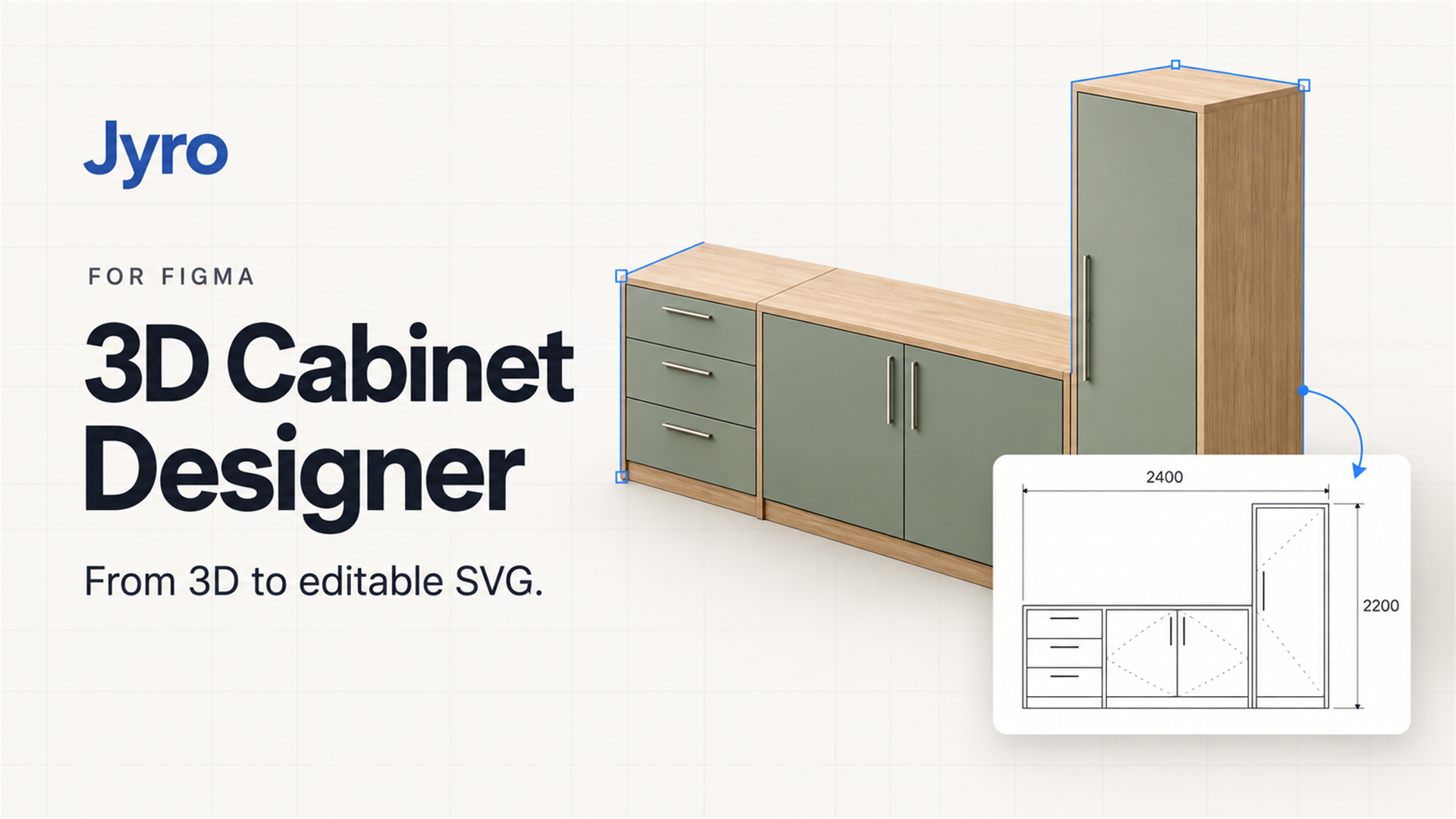
A connected design workflow
For interior concepts, furniture studies and design conversations. Work from a reusable template or make a cabinet your own.
Start with rectangular, L-shaped, 3-sided or 5-sided cabinets. Adjust width, height and depth to suit the room.
Divide cells, add shelves and partitions, configure doors and drawers, and refine panel properties.
Drag to move, raise or resize cabinets. Snap to neighboring cabinets and walls as you arrange the plan.
Insert a single cabinet or the visible assembly. Each Jyro drawing carries the complete plan for later editing.
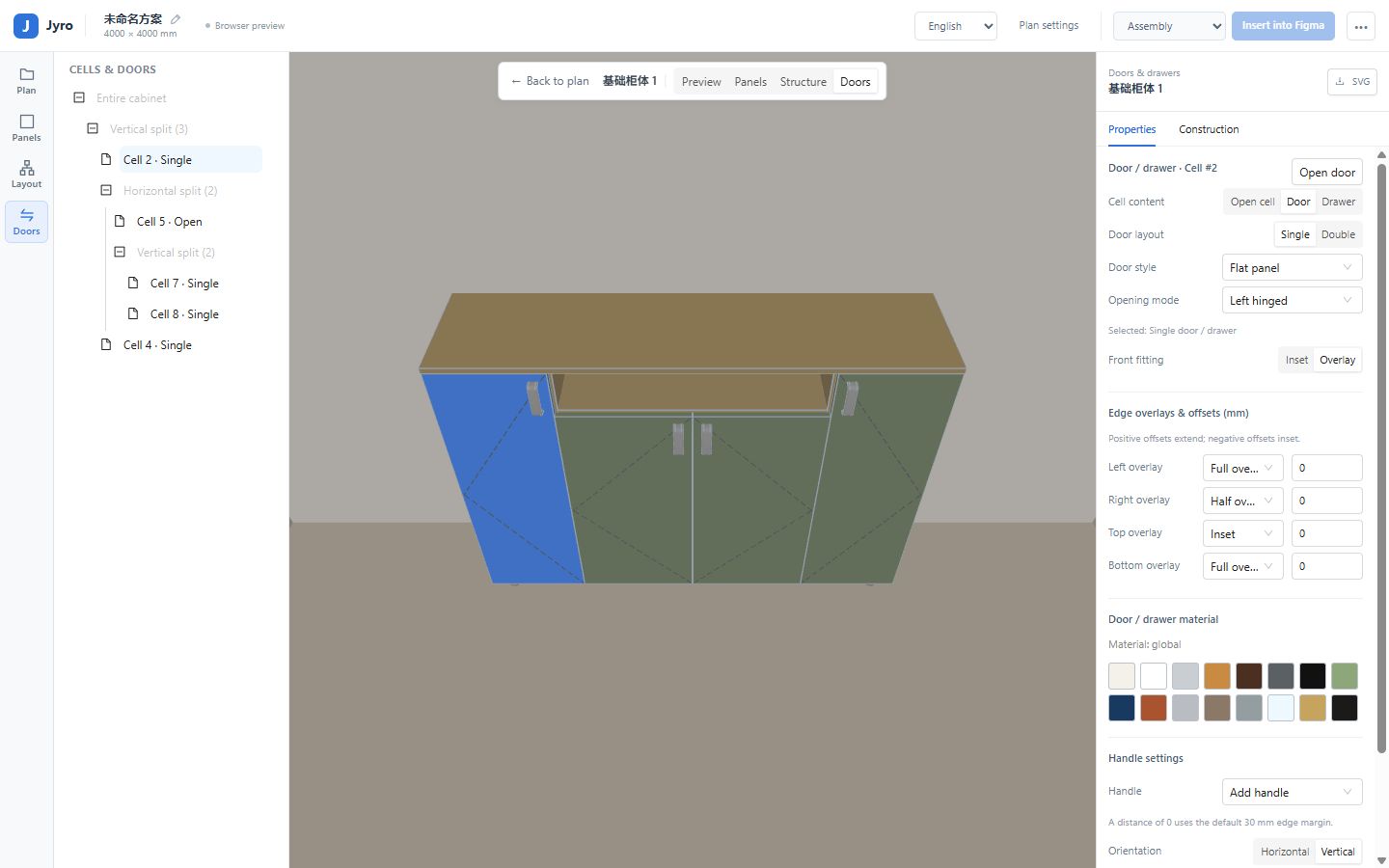
INSIDE JYRO
Room dimensions, cabinet structure, doors and panel properties in one place. Preview openings, refine the arrangement, then prepare the elevation.
THE WORKFLOW
Choose a template or create a cabinet. Set up the room and its dimensions.
Adjust the structure, doors, drawers and materials in the 3D workspace.
Add a dimensioned vector elevation to your Figma Design file.
Select the Jyro drawing, run the plugin again and continue with the full 3D plan.
READY FOR THE PRESENTATION
Single cabinets and assemblies share the same SVG workflow, with dimensions, opening directions and cabinet notes. Update the drawing when your plan changes.
Read the getting-started guide →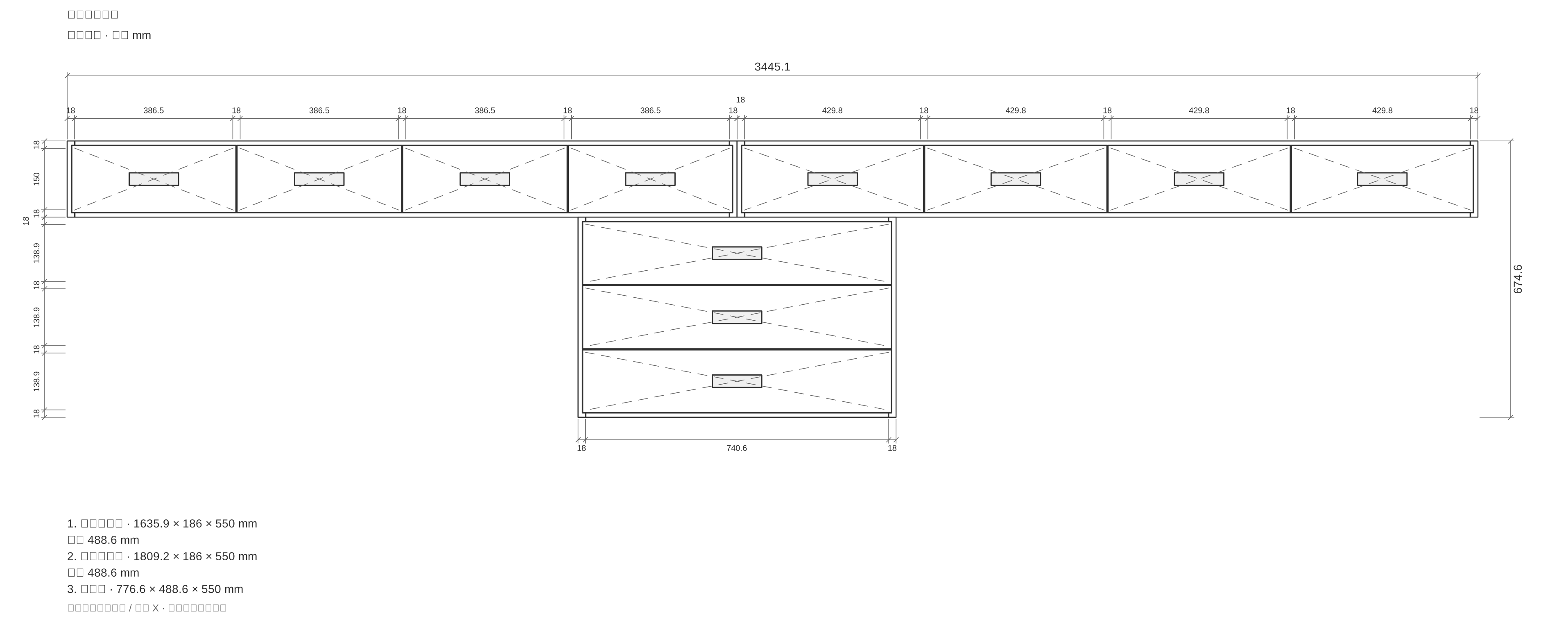
GET STARTED
The plugin is currently under review. After approval, use the Community listing to open it in a Figma Design file.
Open Jyro from its Figma Community page and run it in a Figma Design file. This release supports Figma Design.
Add a template or create a cabinet. Set dimensions, structure, doors and room size.
Click Insert into Figma. Later, select the generated Jyro layer and run the plugin again to restore the plan.
All features in this first Figma release are free. Jyro for Blender is a separate product with its own license.
The complete plan is stored with the generated layer in your Figma document. Local drafts stay on your device. The template library needs an internet connection.
No. Edit the plan in Jyro to change the 3D model. Updating a drawing regenerates its elevation; direct edits to that generated geometry are replaced.
Design proposals, presentations and client discussions. Geometry and dimensions are reference information and need independent verification before manufacturing or installation.
ALSO BY JYRO
Explore the Blender add-on for parametric cabinetry, panel-level modeling and reference exports. Its downloads and license remain available.
Create in 3D. Communicate in vectors. Keep the plan ready for the next change.
View on FigmaCurrently in Figma Community review. The plugin becomes available after approval.
Questions or feedback? hello@jyro.design