Parametric cabinets
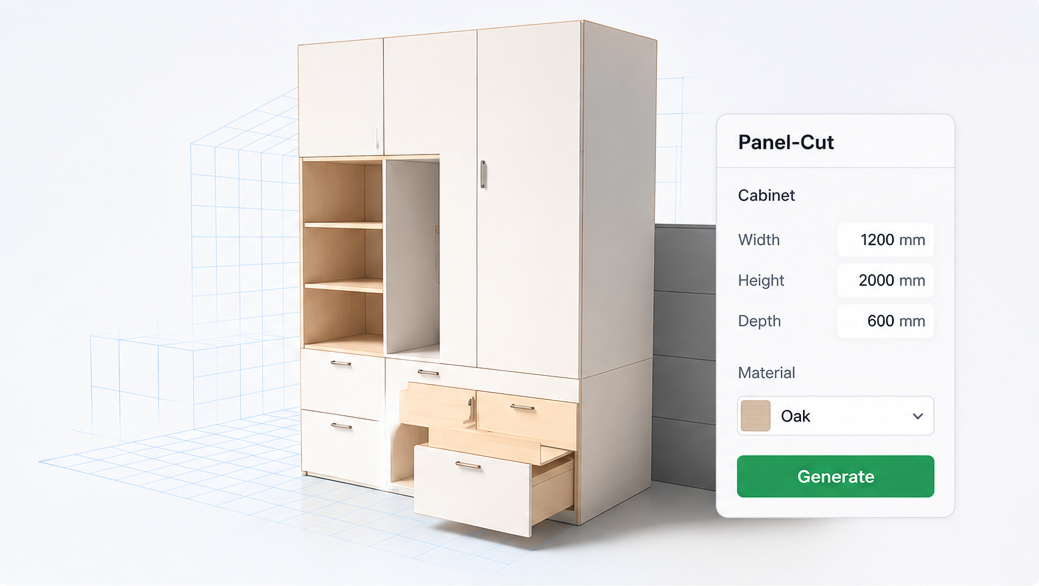
Create wall units, base cabinets, and wardrobes from dimensions. Resize and the structure updates automatically.
Jyro is a Blender add-on for custom furniture — generate editable cabinet structure from dimensions, split to panels, and apply shop craft presets.
What is Jyro?
Jyro lives inside Blender’s sidebar. Instead of modeling every panel by hand, you define cabinet size, layout, and craft rules — then split the result into panels ready for detailing, rendering, or shop output.
Built for interior visualization, custom furniture design, and parametric wardrobe workflows.
Create wall units, base cabinets, and wardrobes from dimensions. Resize and the structure updates automatically.
Split cabinets into panels, doors, shelves, and sides — ready for detailing and production output.
Apply local craft rules — edge bands, drilling patterns, and shop standards you define once.
Start from proven cabinet layouts. Lite includes starter templates; Pro unlocks the full library and custom saves.
Handle L, 3-, 4-, and 5-corner layouts with dedicated Pro Corner tools.
Cut five back-panel openings — back-left, center, right, top, and bottom — for pipes, outlets, and clearance.
Most projects follow four steps inside Blender.
Add a cabinet root and set outer dimensions in the Jyro panel.
Adjust fronts, splits, templates, and craft presets.
Add corners or gap cutouts (Pro), then split structure to panels.
Export production-ready geometry for rendering or shop drawings.
Choose Lite for core workflows or Pro for corner cabinets and ongoing updates.
Core cabinet modeling and craft presets. Limited starter templates. Perpetual license with 1 year of updates.
Gap cutouts, full templates, and template editing require Pro.
Buy Lite — $59Everything in Lite, plus corner cabinets, 5-type gap cutouts, full templates, local custom saves, and template split & edit.
Buy Pro — $199/yrBy purchasing you agree to our Privacy Policy and Refund Policy.
Feature access by plan. Pro unlocks corner cabinets, gap cutouts, the full template library, and template editing.
| Feature | Lite | Pro |
|---|---|---|
| Basic cabinets | Yes | Yes |
| Cabinet structure split | Yes | Yes |
| Local craft presets | Yes | Yes |
| Corner cabinets (L / 3 / 4 / 5) | — | Yes |
| Cabinet gap cutouts (5 types) | — | Yes |
| Starter templates | Limited | Yes |
| Full template library | — | Yes |
| Save custom templates locally | — | Yes |
| Template structure split & edit | — | Yes |
See Blender docs for activation.
Model pack
Need ready-made assets? A selection of wall, base & wardrobe models — buy directly on Gumroad. No plugin required.
Review our policies before purchase.